
Timesheets and hours, ready for payroll.
Totals by day and by week, per person, team or project. Approve the week, export it to CSV.
What it does
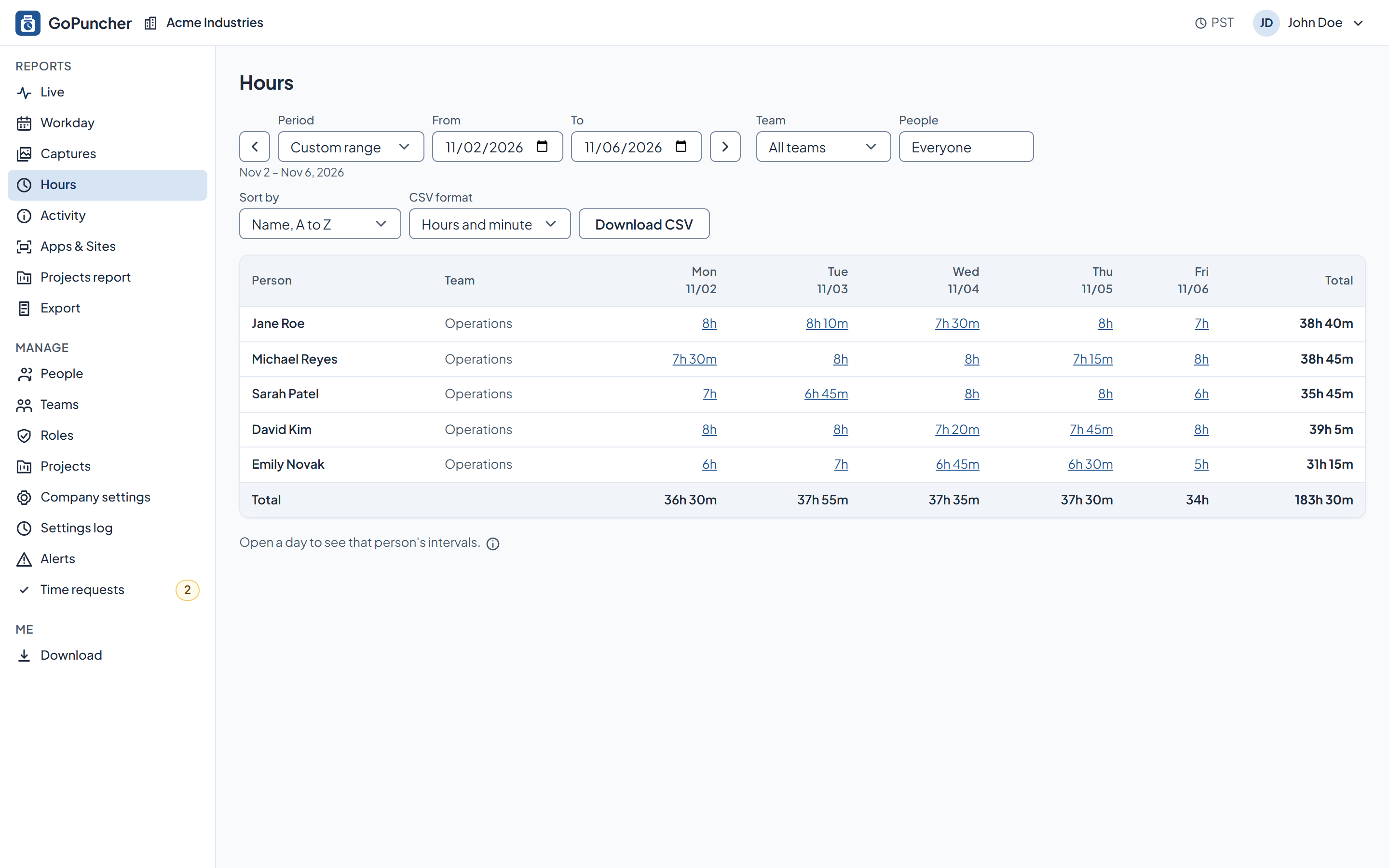
- Hours: a grid of people by days, with a total for every row and every column.
- Tracked time and manual time are both counted, and manual time can be shown separately.
- Time per project, down to the person.
- Days are counted in your company's time zone.
- CSV export, with durations as hours and minutes or as decimal hours.
How you set it up
- By default owners, admins and managers can add manual time. For employees it's a setting you turn on.
- An employee's request names a reason and waits for a manager or admin to approve it before it counts.
- A request that overlaps time already recorded, or that lies in the future, is not accepted.
What the employee sees
- Their own hours, day by day.
- Their own manual time requests and the state of each one: pending, approved or rejected.
See it on your own numbers.
Half an hour, your questions, and the real panel on screen. No slide deck.