
Activity levels without reading anyone's keystrokes.
Counts per minute become a level. What was typed is never recorded.
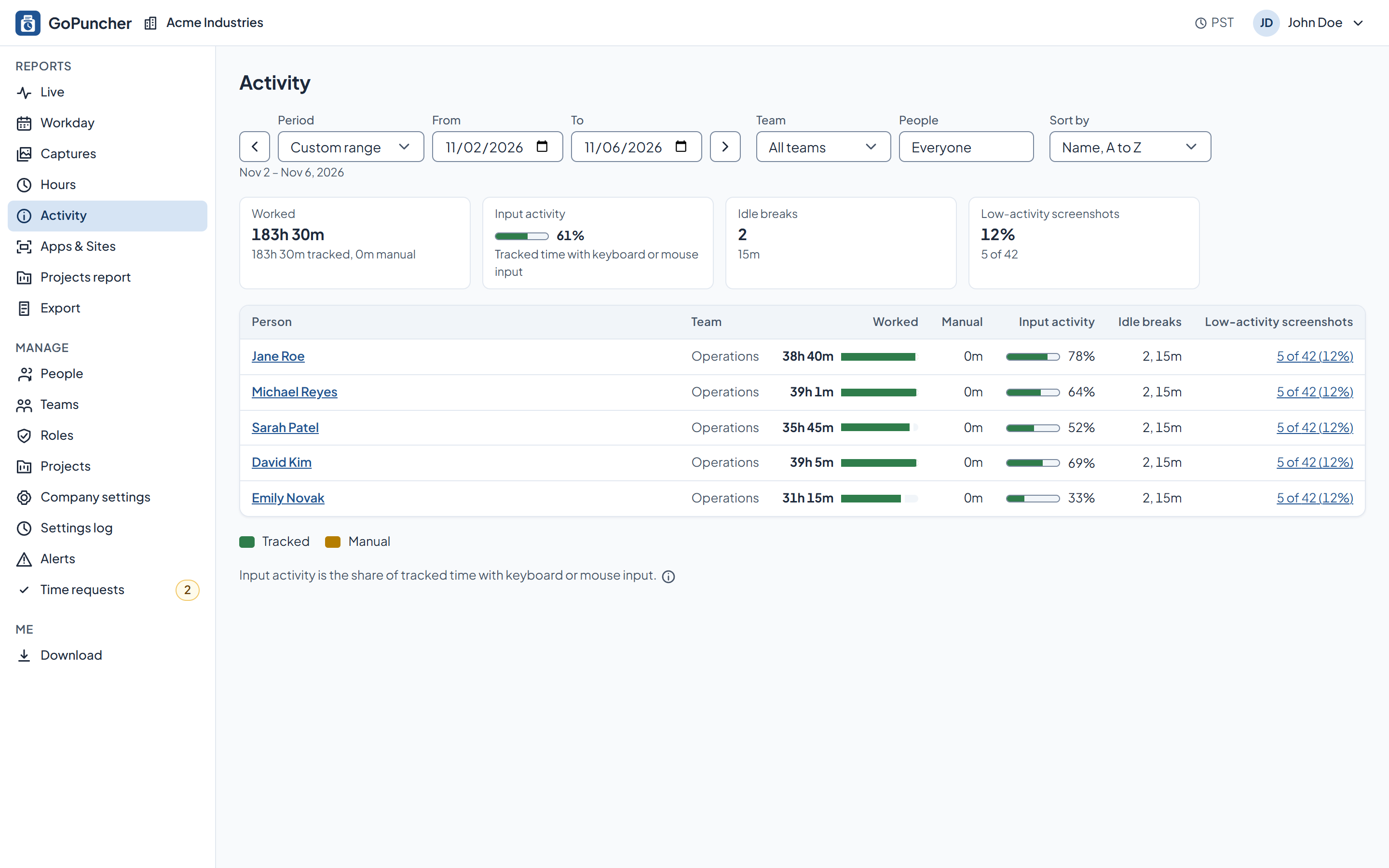
What it does
- The app counts how many keys are pressed and how many mouse actions are made, per minute.
- It counts them only. Which keys were pressed and what was typed are never recorded.
- The activity level is the share of tracked time that had keyboard or mouse input.
- Where tracked time has no activity data, the report shows n/a, not zero.
- Idle breaks, how many and how long, are listed next to the level.
How you set it up
- Activity counts are recorded whenever the timer runs.
- Idle timeout, how long without input before tracking pauses, is set for the company, a team or one person.
What the employee sees
- Their own activity, in their own dashboard.
- The notice they read before tracking starts, which says that keys and mouse actions are counted and never recorded.
See it on your own numbers.
Half an hour, your questions, and the real panel on screen. No slide deck.